
Quick Overview
To build a website in Malaysia, start with the business goal, then plan your pages, domain, hosting, content, design, SEO basics, launch checklist, and maintenance. A good website is not only a pretty homepage. It should help Malaysian customers understand what you offer, trust your business, and contact you easily through WhatsApp, forms, phone, or booking tools.
1. Decide what the website must achieve
Before choosing a theme, platform, or colour palette, define the main result you want. A clinic in Kuala Lumpur may need appointment enquiries. A restaurant in Shah Alam may need menu visibility and WhatsApp booking. A B2B supplier in Selangor may need credibility, product information, and RFQ forms. An ecommerce brand may need checkout, delivery setup, and product SEO.
This first decision affects everything: page structure, calls to action, copywriting, photography, hosting, tracking, and budget. If the goal is unclear, the website becomes a digital brochure that looks fine but does not guide visitors to act.
For Malaysian businesses, the best website is usually the one that makes the next step obvious: enquire, book, buy, call, or WhatsApp.
DigitalBina Editorial Team
2. Build a simple sitemap first
A sitemap is the page plan for your website. You do not need to overcomplicate it. Most business websites in Malaysia can begin with Home, About, Services, Portfolio or Case Studies, Pricing or Packages, FAQs, Blog, and Contact. From there, add pages based on real search intent and customer needs.
For example, a general service page can link to more specific pages such as website development in Malaysia, ecommerce website development, or corporate website design. This helps customers find the exact service they need without forcing every detail into one long page.
Local Tip
If your customers compare businesses on mobile, keep the sitemap simple. Important information like services, location, pricing cues, reviews, and WhatsApp contact should not be buried.
3. Choose the right domain and hosting
Your domain is the website address, such as yourbusiness.com.my or yourbusiness.my. For Malaysia-focused companies, a .my or .com.my domain can feel local and trustworthy, while .com is still fine if you serve regional or international markets. The best choice depends on your brand, availability, and long-term plan.
Hosting is where the website lives. Cheap hosting may be enough for a small brochure site, but it can become painful if the website loads slowly, email is unreliable, backups are weak, or support is slow. For WordPress websites, look for SSL, backups, security, caching, enough storage, and responsive support. DigitalBina also offers web hosting in Malaysia for businesses that want design, hosting, and support handled in one place.

4. Prepare your website content
Many website projects slow down because content is not ready. Before design starts, prepare the basic building blocks: your service list, company introduction, location, phone number, WhatsApp number, photos, logo files, pricing cues, FAQs, and trust signals.
Trust signals matter in Malaysia because many buyers still want reassurance before they contact a company. Depending on your business, this can include real project photos, Google reviews, team photos, certification details, office location, product warranty, payment options, or years of experience. Do not invent proof. A simple honest page is better than fake awards or copied testimonials.
- Logo files, brand colours, and company profile
- Service descriptions written in clear customer language
- Real photos of products, premises, team, projects, or work process
- FAQs from actual customer conversations on WhatsApp or sales calls
- Contact details, service areas, business hours, and map location
5. Pick the right website platform
There is no single best platform for every business. WordPress is flexible for service businesses, blogs, SEO pages, and custom content. Shopify can be strong for ecommerce teams that want a managed store. Custom development makes sense when the website needs complex workflows, integrations, dashboards, or software-like features.
The platform should fit your team. If your admin staff needs to update menus, classes, room rates, properties, or products every week, the backend must be simple enough for them to use. If everything requires a developer, small updates become slow and expensive.
| Website Type | Best For | Important Features |
|---|---|---|
| Business website | Services, corporate profiles, consultants, clinics | Clear pages, WhatsApp CTA, SEO basics, fast mobile loading |
| Ecommerce website | Retail, product brands, online stores | Product catalogue, payment gateway, delivery, stock management |
| Landing page | Google Ads, Meta ads, campaigns | One clear offer, lead form, tracking, fast speed |
| Industry website | Restaurants, hotels, real estate, education, healthcare | Industry-specific sections, bookings, maps, FAQs, proof |
Not sure what type of website your business needs?
Send your current website link or a short business brief, and we will suggest the most practical website direction for your Malaysia market.
6. Understand website cost in Malaysia
Website cost in Malaysia depends on scope. A one-page landing page is not the same as a multi-page corporate site, and a basic company profile is not the same as an ecommerce store with products, payment gateway, delivery, and stock management.
When comparing web design Malaysia price options, compare what is included: domain, hosting, SSL, copywriting, design revisions, mobile optimisation, SEO setup, analytics, handover, and maintenance. A low headline price can become expensive if every basic item is charged separately later.
Compare properly
- Check if domain, hosting, SSL, and basic SEO are included.
- Ask how many pages, sections, and revisions are covered.
- Confirm who writes the copy and prepares images.
Avoid this
- Choosing only by cheapest price without checking scope.
- Ignoring maintenance, backups, and security after launch.
- Paying for a website with no tracking or conversion path.
7. Design for Malaysian browsing behaviour
Many Malaysian customers browse on mobile first. They may come from Google Search, Google Maps, Facebook, Instagram, TikTok, WhatsApp referrals, or ads. Your website needs to load quickly, explain the offer clearly, and make contact easy.
For local service businesses, WhatsApp is often a practical call to action. For corporate or B2B buyers, a form, email, phone number, and downloadable profile may also be needed. For ecommerce, the checkout experience must be smooth on mobile, especially when users compare prices and delivery options.
Clear Offer
Explain what you do, who it is for, and why customers should trust you.
Mobile First
Make headings, buttons, forms, menus, and WhatsApp actions easy on phones.
Trust Signals
Show real photos, reviews, locations, FAQs, credentials, or proof where available.
8. Set up SEO basics before launch
SEO should not be an afterthought. At minimum, your website should have clear title tags, meta descriptions, readable headings, internal links, image alt text, fast mobile performance, an XML sitemap, and Google Search Console setup. Google’s own SEO Starter Guide explains that SEO helps search engines understand your content and helps users decide whether to visit your site.
For local businesses, connect the website with your Google Business Profile, especially if customers search by area such as KL, Petaling Jaya, Shah Alam, Subang, Cyberjaya, or Johor Bahru. If you want deeper search visibility, consider a dedicated SEO services Malaysia plan after the website foundation is strong.
Helpful Content Check
Google’s guidance on helpful, people-first content is a good reminder: write pages that genuinely help your audience, not pages made only to repeat keywords.
9. Launch with tracking, QA, and maintenance
Before launch, test the website on mobile and desktop. Check contact forms, WhatsApp links, navigation, page speed, images, security certificate, analytics, and Search Console. For redesigns, map old URLs to new URLs so existing Google visibility is not accidentally damaged.
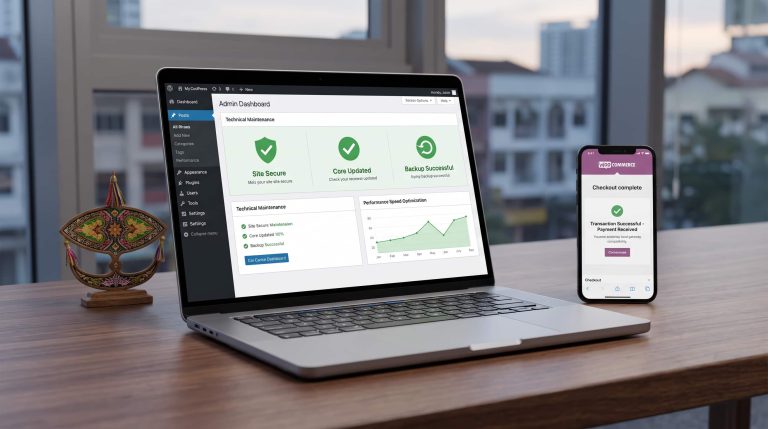
After launch, plan maintenance. WordPress core, plugins, themes, backups, security checks, and content updates need attention. If nobody owns maintenance, small issues can become urgent problems. A proper website maintenance Malaysia plan keeps the site safer and easier to improve over time.
Launch checklist
- Test forms, WhatsApp links, phone links, and payment flows.
- Set up analytics, Search Console, sitemap, and basic events.
- Compress images and check mobile speed using PageSpeed tools.
Avoid at launch
- Going live while search indexing is blocked.
- Changing old URLs without redirects during a redesign.
- Launching with oversized images and no backup plan.
How DigitalBina can help
DigitalBina helps growing Malaysian businesses plan, design, build, and improve websites, digital campaigns, AI solutions, and online growth systems with clear structure, mobile-friendly UX, SEO basics, hosting guidance, analytics setup, and handover support.
If you want everything handled in a more organised way, start with web design Malaysia planning or request a free website audit. A proper plan helps avoid hidden costs, unclear scope, slow launch, and a website that looks nice but does not support real enquiries.
FAQs about building a website in Malaysia
How much does a business website cost in Malaysia?
It depends on scope. Page count, copywriting, design complexity, ecommerce features, integrations, hosting, maintenance, and SEO setup all affect cost. Compare inclusions carefully before choosing a package.
Do I need a .my domain?
Not always. A .my or .com.my domain can support local trust, but .com is also fine. Choose the domain that best fits your brand, audience, and long-term market.
Should WhatsApp be the main CTA?
For many Malaysian service businesses, yes. Customers are comfortable asking questions through WhatsApp. For corporate or higher-ticket enquiries, keep forms, email, and phone options too.
Can I build the website first and do SEO later?
You can do advanced SEO later, but basic SEO should be included from the start. This includes page structure, headings, metadata, internal links, mobile speed, sitemap, and Search Console.
What should I prepare before asking for a quote?
Prepare your business goal, rough page list, domain status, content assets, example websites, must-have features, target launch date, and budget range. This makes the quote more accurate.
Final website planning checklist
- Goal: Leads, bookings, credibility, ecommerce sales, or support.
- Sitemap: Home, service pages, about, proof, FAQs, and contact paths.
- Domain and hosting: Secure, fast, backed up, and easy to support.
- Content: Real copy, photos, proof, FAQs, and local details.
- SEO basics: Metadata, headings, internal links, sitemap, and Search Console.
- Maintenance: Updates, backups, security, uptime, and future improvements.