
Quick Overview
Professional wix web design services turn standard templates into custom, high-performing business websites. Anyone can start a basic site on Wix, but growing companies often hit roadblocks with mobile layouts, structured databases, and search engine optimization. Hiring a skilled Wix specialist solves these problems.
Skilled professionals build original page layouts, connect business tools like online stores and booking forms, and write JavaScript using Velo to automate routine work. The result is a fast, secure website that ranks well on search engines and remains simple for non-technical staff to update. Reviewing standard deliverables, real project costs, and contractor vetting standards helps you pick a team that supports business growth.
Key Takeaways
- Custom Builds Beyond Templates: Professional wix web design services produce original page structures, mobile-ready styling, structured database collections, and custom Velo code instead of basic pre-made themes.
- Clear Project Pricing: Total prices reflect site size and technical difficulty, ranging between entry-level landing pages by solo freelancers and multi-page corporate or online store setups by certified agencies.
- Integrated Business Tools: Full-service packages include technical on-page SEO, automated workflows, and native applications such as Wix Stores, Wix Bookings, and customer relationship tools.
- Low Maintenance Needs: Wix includes cloud hosting, automated security updates, and server-side rendering, cutting the technical maintenance that open-source systems require.
- Five-Step Project Plan: Standard agency projects follow a clear order: research and wireframing, visual design, development, cross-browser testing, and launch with staff training.
- Firm Vetting Rules: When hiring a specialist, test live websites on mobile phones, check official Wix Partner credentials, and get asset ownership terms in writing.
- Direct Client Control: After launch, site owners keep full administrative access and can edit text, images, and catalog items without breaking page layouts.
What Are Wix Web Design Services?
Wix web design services are professional solutions where expert designers build custom, mobile-friendly websites on the Wix platform. These services include original visual design, technical search optimization, structured database setups, and native business tool integration. Non-technical staff can easily manage and update the finished site.
Professional services cover custom planning, visual design, technical builds, and site optimization. Unlike basic do-it-yourself site building, professional services produce digital platforms designed to convert visitors and support business operations. Experienced agencies and freelancers handle every technical detail, from responsive screen layouts to backend database setup. Working with an expert helps companies avoid common platform problems, such as bloated code, broken mobile screens, and slow page speeds.
Custom Design vs. Template Customization
Template customization involves taking a pre-made Wix theme and changing fonts, colors, and stock images. This approach is fast and budget-friendly, but it often forces your brand into a rigid layout that may not match your goals.
Custom Wix web design starts with a blank canvas or custom wireframe. A designer maps out your site structure to guide visitors toward specific actions, such as booking a call or purchasing a product. Every page layout, graphic element, and menu is crafted specifically for your business, so your website looks original and functions without structural clutter.
Advanced Development: Wix Studio and Velo Full-Stack Capabilities
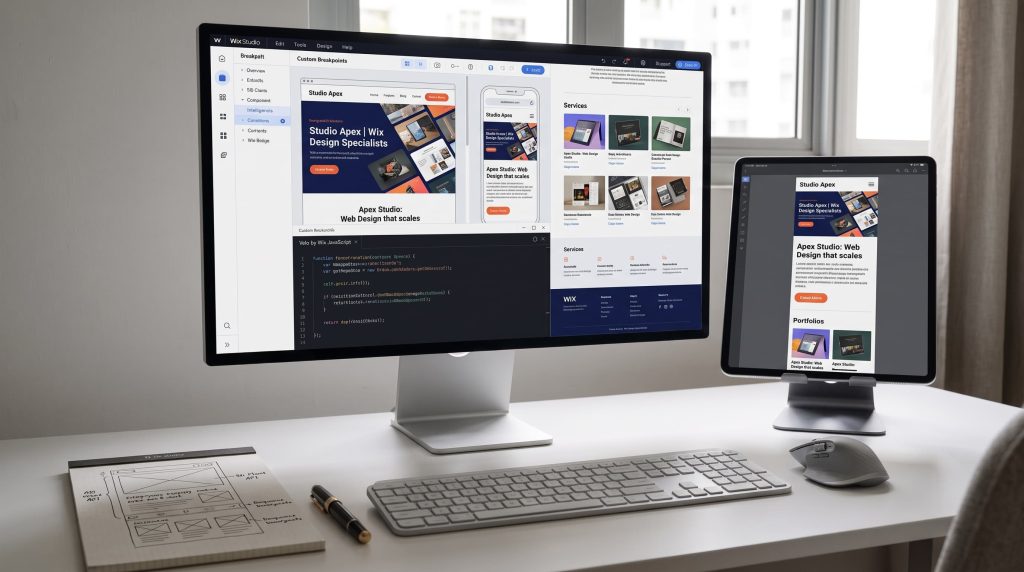
Modern Wix projects often use Wix Studio, an advanced platform built for agencies and creators. Wix Studio provides precise control over CSS, fluid responsive design, and proportional scaling across all viewport widths.
When websites need custom functionality beyond standard settings, developers write code with Velo by Wix. Velo is a full-stack development environment that uses JavaScript to create:
- Database-driven pages that automatically display content from custom collections.
- Interactive elements like custom calculators, multi-step forms, and search filters.
- Secure connections to third-party web services and external databases using web modules and REST APIs.
Wix Redesign and Platform Migration Services
A redesign updates an older layout to improve usability, mobile display, and conversion rates. Skilled designers audit existing performance numbers, locate friction points where visitors leave, and rebuild the site with modern styling and cleaner menus.
Platform migration involves moving a website to Wix from systems like WordPress, Squarespace, or Shopify. An experienced partner keeps your search rankings safe during the move. They move your existing content, reorganize your data structures inside the Wix CMS, and map exact 301 redirects to preserve your search engine authority.
What Deliverables Are Included in Professional Wix Design Packages?
A complete Wix design package delivers a fully functional, tested, and secure business website ready for public launch. Professional packages include strategy, user interface design, technical setup, and post-launch handoff documentation.
Clients should expect full ownership of all design assets and administrative access to the platform upon final payment.
Custom UI/UX Layouts and Responsive Screen Adaptation
A primary deliverable is custom visual styling made for your target audience. Professional designers build responsive layouts that adjust smoothly to any screen size, rather than relying on automatic mobile converters.
Your deliverable should include dedicated layouts for desktop, tablet, and mobile devices. Key components include:
- Custom typography hierarchies and consistent color palettes.
- Thumb-friendly mobile menus and clear call-to-action buttons.
- Accessible color contrasts that follow standard web accessibility rules.
Wix CMS and Native App Integration (eCommerce, Bookings, Events)
Wix features native business applications that run directly inside the dashboard. A designer sets up and styles these tools to match the look of your main site.
Deliverables typically include:
- Wix Stores: Product catalogs, variant options, inventory controls, shipping rules, and secure checkout pages.
- Wix Bookings: Service menus, staff calendars, automated email alerts, and appointment payment processing.
- Wix CMS: Custom data collections that let you add team members, portfolio items, or articles without altering page code.
Technical and On-Page Wix SEO Implementation
A well-designed site has little value if prospective customers cannot find it. Professional services include standard on-page and technical search engine optimization (SEO) built directly into the site structure.
Standard SEO deliverables include:
- Unique title tags and meta descriptions for every page.
- Proper heading tag structure (H1, H2, and H3) to help search engines read your content.
- Descriptive image alt text to improve accessibility and image search indexing.
- Structured data markup (Schema.org) for local businesses, articles, or products to qualify for rich search results.
- Custom URL slugs and automatic XML sitemap creation for submission to Google Search Console.
Custom Interactions, Third-Party APIs, and Business Automations
Modern business websites must connect smoothly with other software tools. Professional Wix specialists set up native Wix Automations to handle routine administrative tasks automatically.
These configurations often include:
- Automated confirmation emails and SMS alerts sent immediately after a form submission or purchase.
- Customer data syncing directly into external CRM platforms like HubSpot or Salesforce.
- Custom API connections using Velo to connect specialized accounting, shipping, or marketing platforms.
How Much Do Wix Web Design Services Cost? (Pricing Models and Budget Breakdown)
Professional Wix web design services generally cost between $1,000 and $10,000 or more, depending on site size, page count, and custom coding needs.
Pricing reflects the designer’s skill level, strategic planning, and the time required to build custom features.
Cost Breakdown by Project Scope (Landing Page vs. Corporate vs. eCommerce)
Project scale is the primary factor that shapes the total cost of design services.
| Project Type | Typical Scope | Estimated Cost Range | Average Timeline |
| Landing Page | 1 single-scroll page, contact form, basic lead capture | $800 – $2,000 | 1 to 2 weeks |
| Standard Business Website | 5 to 10 custom pages, basic CMS, service listings, blog setup | $2,500 – $5,500 | 3 to 5 weeks |
| Advanced Corporate / Directory | 10 to 25+ pages, custom CMS databases, multi-level filtering | $5,000 – $9,000 | 5 to 8 weeks |
| eCommerce or Booking Portal | Full online catalog, payment gateways, custom Velo automations | $6,000 – $12,000+ | 6 to 10 weeks |
Freelancers vs. Boutique Agencies vs. Certified Wix Legend Partners
The type of provider you hire directly impacts your quote and the services included:
- Solo Freelancers: Charge lower rates ($1,000 to $3,500 for standard sites). They offer direct communication but may have limited availability or focus mainly on visuals rather than advanced coding.
- Boutique Agencies: Charge moderate rates ($4,000 to $9,000). They provide teams that usually include a project coordinator, visual designer, copywriter, and developer.
- Certified Wix Legend Partners: Command premium pricing ($8,000 to $15,000+). These top-tier partners have a verified track record building complex database setups and custom JavaScript applications.
Fixed-Price Contracts vs. Hourly Rates vs. Monthly Retainers
Agencies and designers typically bill through three primary models:
- Fixed-Price Project Contracts: The most common approach for new website builds. The provider outlines a defined Scope of Work (SOW) with milestone payments, such as a 50% deposit and 50% upon launch.
- Hourly Rates: Typically used for troubleshooting, minor updates, or consulting. Rates range between $50 and $175 per hour, depending on location and technical skill.
- Monthly Retainers: Ranging between $300 and $1,500 per month, retainers cover ongoing site checks, conversion testing, routine SEO updates, and new content uploads.
Hidden and Ongoing Platform Costs to Factor In
The quote from your web designer covers labor, strategy, and design. You must also budget for ongoing operational costs paid directly to Wix and third-party providers:
- Wix Premium Plan: Required to connect a custom domain and remove Wix ads. Plans range between $17 and $159+ per month depending on storage, online sales features, and transaction limits.
- Custom Domain Name: Around $10 to $20 annually.
- Business Email (Google Workspace via Wix): Approximately $6 to $18 per user per month.
- Paid Third-Party Apps: Specialized tools from the Wix App Market may charge recurring monthly subscription fees.
Why Choose Wix for Business? (Platform Strengths vs. Constraints)
Wix is a fully managed cloud platform that combines visual design flexibility with secure hosting, automated software updates, and minimal server management.
For many businesses, Wix lowers the Total Cost of Ownership (TCO) compared to open-source systems that require constant developer attention for security patches and server upgrades.
When Wix (or Wix Studio) Outperforms Alternative Platforms
Wix works well for companies that want a custom, professional online presence without ongoing technical headaches. Key strengths include:
- Zero Server Maintenance: Wix manages security updates, server patches, and daily site backups automatically.
- Simple Client Editing: Non-technical staff can safely edit text, swap images, add blog posts, and manage products without touching layout code.
- Unified Dashboard: Invoicing, customer contact lists, email campaigns, bookings, and sales orders live within one integrated management system.
Wix vs. WordPress, Webflow, and Shopify: The Decision Matrix
Your ideal platform relies on your business goals, technical budget, and how your team handles updates.
| Platform | Best For | Maintenance Burden | Customization Level | Ideal Team |
| Wix / Wix Studio | Small to mid-market businesses, service providers, hybrid commerce | Low: Hosting, security, and updates are fully managed | High visual control; full-stack code available via Velo | Non-technical internal teams supported by an agency |
| WordPress | Large publishers, content-heavy blogs, open-source builds | High: Requires regular plugin, theme, and server maintenance | Unlimited open-source code control | Companies with dedicated technical or developer resources |
| Webflow | Design-focused tech startups and creative agencies | Low to Medium: Managed hosting, but complex visual interface | Complete visual control over HTML/CSS | In-house web designers or front-end developers |
| Shopify | High-volume retail eCommerce brands | Low: Fully hosted, closed retail environment | Highly templated; requires Liquid coding for custom layouts | Retail managers and eCommerce specialists |
Common Platform Criticisms and How Experienced Designers Overcome Them
Old criticisms claim that Wix sites load slowly and perform poorly on search engines. Modern Wix infrastructure has solved these issues:
- Page Load Speeds: Wix uses a global Content Delivery Network (CDN), automatic image compression, and modern AVIF and WebP image formatting. Experienced designers keep Core Web Vitals scores high by optimizing custom fonts, minimizing heavy visual animations, and writing clean code.
- SEO Capabilities: Wix features native server-side rendering, customizable canonical tags, bulk 301 redirects, and direct connection to Google Search Console. A skilled designer sets up structured data and clean site structures to compete on modern search result pages.
- Design Flexibility: Standard Wix drag-and-drop editors use absolute positioning, but Wix Studio provides fluid CSS grids, flexbox containers, and responsive scaling that adapt cleanly to any device.
The Professional Wix Web Design Process: Step-by-Step From Discovery to Launch
Professional web design follows an organized workflow to keep the project on schedule, within scope, and aligned with your business goals.
Phase 1: Research, Site Structure, and Wireframing
The project begins with research into your company, your competitors, and your ideal customers. The designer audits existing marketing materials and clarifies the primary actions visitors should take.
Next, the designer maps out the site structure. This includes a detailed sitemap that establishes page hierarchies and basic low-fidelity wireframes. Wireframes act as blueprints, showing where headlines, buttons, and content blocks sit before any colors or visual styling are applied.
Phase 2: Custom UI/UX Design and Prototyping
Once the structure is approved, the designer develops the visual identity of the website. This phase establishes:
- Color schemes, typography pairings, and button styles.
- Mockups of key templates (such as the homepage, services overview, and contact page).
- Interactive prototypes in Figma or a private Wix sandbox environment.
Reviewing full visual mockups first lets you refine layouts and user flows before writing any code.
Phase 3: Development, Velo Scripting, and Database Setup
During the build phase, the static designs are turned into a live, interactive website on Wix or Wix Studio.
The developer builds custom page sections, sets fluid breakpoints for responsive sizing, and configures backend databases in the Wix CMS. If the project requires custom filters, user portals, or external API data connections, the developer writes and tests the necessary Velo JavaScript code.
Phase 4: Quality Assurance, Core Web Vitals, and Cross-Device Testing
Before launch, the website goes through quality assurance (QA) testing. The testing process covers:
- Cross-Device and Browser Checks: Verifying layouts across Chrome, Safari, Edge, Firefox, iOS, and Android.
- Form and Checkout Verification: Submitting test leads, processing test transactions, and confirming automated email receipts.
- Performance Optimization: Running Google Lighthouse audits, compressing media files, and checking layout stability to pass Core Web Vitals benchmarks.
- Accessibility Audits: Checking that keyboard browsing works properly and that all images have appropriate alt tags.
Phase 5: Domain Connection, SEO Handover, and Client Training
The final phase brings your website live to the public. The agency handles the technical DNS configuration, pointing your custom domain to the new site and activating the SSL certificate.
The team then submits your XML sitemap to Google Search Console and sets up 301 redirects to preserve existing search rankings. The provider also delivers recorded video guides or live training sessions, showing your team how to update text, publish blog posts, and review customer inquiries independently.
How to Select and Hire the Right Wix Web Design Partner
Hiring the right web designer requires balancing technical skill, visual quality, and clear business communication. Taking time to properly vet candidates protects your budget and helps you receive a reliable business asset.
Deciphering Wix Partner Badges (Icon, Legend, and Studio Certified)
The Wix Partner Program classifies agencies and freelancers based on points earned from launching client websites and passing certifications:
- Partner Tiers: Tiers start at Pioneer and Creator, advancing to Icon and Legend. A Legend Partner badge indicates an agency that has launched dozens of websites and regularly handles high-volume client projects.
- Wix Studio Certification: Confirms that a designer has passed practical examinations testing responsive CSS design, custom breakpoints, and the technical setup of Wix Studio.
Partner status shows platform knowledge, but you should still check a provider’s portfolio to confirm their visual style matches your brand.
Evaluating Portfolios: Testing Live Links vs. Static Screenshots
Do not evaluate a web designer based only on static image mockups or screenshots. Visual mockups can hide broken mobile layouts, slow load speeds, and clumsy header menus.
Always ask for links to live, published websites and test them directly:
- Open the link on your mobile phone and test menus, form fields, and buttons.
- Resize your desktop browser window to see if page elements scale smoothly or overlap awkwardly.
- Run the live link through Google PageSpeed audits to verify load performance and mobile usability.
Important Vetting Questions to Ask Before Signing a Proposal
Before signing a contract or paying a deposit, ask prospective designers these practical questions:
- Do you design custom layouts from a blank canvas, or do you customize pre-made templates?
- Will you build our site using the standard Wix Editor or Wix Studio?
- How do you handle technical SEO and URL redirects for our existing pages?
- Are custom copywriting, stock photography, and custom graphic design included in this estimate?
- What type of post-launch support or warranty do you provide if a layout breaks or a form stops working?
- Will our internal team receive full administrative ownership of the site upon completion?
Red Flags to Avoid When Hiring a Wix Specialist
Watch out for these warning signs during the planning and proposal phase:
- Refusing to Share Live Links: If a designer only shares static screenshots or image boards, they may not have practical skill building functional sites.
- Unusually Low Quotes for Large Projects: A complete multi-page business website quoted under $500 often points to an unedited, low-quality template that lacks custom strategy or mobile refinement.
- No Clear SEO Migration Plan: If a provider does not mention mapping 301 redirects when replacing an existing website, your current search rankings could drop after launch.
- Holding Site Ownership Hostage: Avoid agencies that insist on keeping your site under their private account and billing you an ongoing markup just to access your own content. You should always hold primary ownership of your Wix account.
Industry Benchmarks and Decision Data for Wix Design Projects
Authoritative Support
- Core Web Vitals Performance: HTTP Archive analysis of Chrome UX Report (CrUX) data shows steady year-over-year gains in Wix sites meeting Core Web Vitals thresholds (LCP, CLS, and INP). This supports the claim that modern, custom-built Wix websites can achieve search-compliant performance and competitive loading speeds.
- Security Standards: Wix provides built-in enterprise hosting that meets PCI-DSS Level 1, ISO 27001, and SOC 2 Type 2 security standards. This confirms that Wix removes the need for manual server patching and third-party security management.
Original Research Opportunity
- Research Topic: Three-Year Total Cost of Ownership (TCO): Custom Wix Studio vs. Self-Hosted WordPress for SMBs.
- Data Needed: Initial agency build invoices, ongoing hosting charges, annual plugin renewals, security patching hours, and maintenance retainers across 50 business websites.
- Outcome: An empirical benchmark showing real multi-year operational expenses between managed cloud environments and open-source systems.
Recommended Interactive Resource
- Resource Type: Wix Scope and Budget Estimator (Interactive Assessment).
- Key Inputs: Project type, platform version (Wix Editor vs. Wix Studio), custom functionality (CMS, Velo JavaScript, or APIs), and migration needs.
- Main Outcome: Produces an estimated price range, delivery timeline, and a printable Scope of Work (SOW) checklist for vendor interviews.
Conclusion
Investing in professional wix web design services closes the gap between basic DIY templates and high-performing, scalable digital platforms. By partnering with a qualified expert, your business gains an original visual identity, clean mobile responsiveness, technical search optimization, and automated workflows, all within a secure, low-maintenance environment your internal team can easily manage.
Before hiring a designer, clarify your project scope, required business integrations, and budget expectations. Review live portfolio sites and ask targeted vetting questions to select a partner who can build a polished website that supports your long-term business growth.
What is included in professional wix web design services?
Professional wix web design services include custom visual layouts, mobile optimization, technical on-page SEO, database setup via Wix CMS, and native app configurations like Wix Stores or Bookings. Full-service packages also provide third-party API connections, cross-browser testing, and client dashboard training.
Can a custom Wix website rank on the first page of Google?
Yes, a custom Wix website can rank on Google’s first page. Wix provides server-side rendering, customizable canonical tags, structured data markup, and automatic XML sitemaps. When paired with high-quality content and proper technical search optimization, Wix sites compete effectively against platforms like WordPress.
Will I be locked out of editing my website after launch?
No, you will not be locked out of your site. Designers hand over primary administrative ownership upon completion. Through custom dashboard permissions, your team can easily update text, add blog posts, and manage products without risking damage to the underlying layout or code.
What is the difference between Wix Editor and Wix Studio?
Classic Wix Editor uses pixel-based drag-and-drop positioning for simpler websites. Wix Studio is an advanced platform built for agencies, offering fluid responsive design, custom CSS control, multi-screen breakpoints, and collaborative workspace tools for complex digital builds.
How long does a custom Wix web design project take?
Most custom Wix projects take between two and ten weeks to complete. A single landing page typically takes one to two weeks, standard five to ten page business websites average three to five weeks, while complex online store or booking platforms require six to ten weeks.
Can you migrate an existing website to Wix without losing SEO?
Yes, you can migrate without losing your search rankings. Professional designers protect SEO value by re-creating your site structure, matching metadata, and setting up exact 301 redirects. These redirects send search engines and visitors directly to the correct replacement pages.